
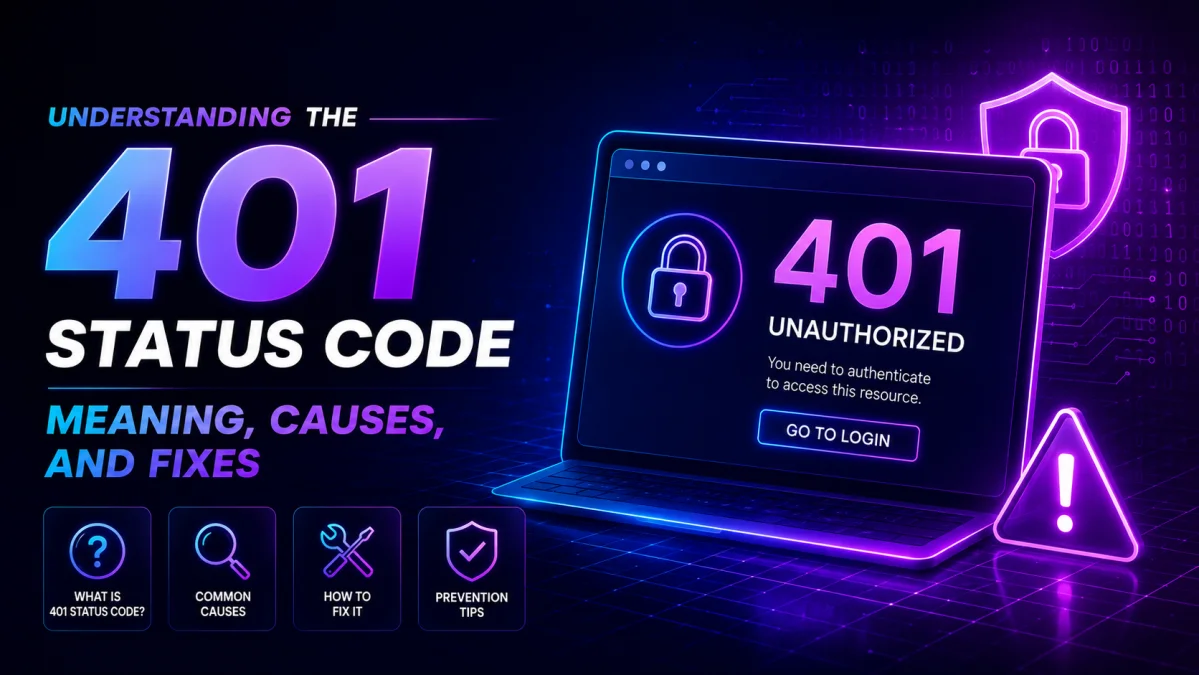
An error 401 Status Code can be annoying when browsing the web and may block access to relevant information. Such an error could deter visitors from becoming potential clients ever again for the site owners.
The server is supposed to return a status of 401, along with a WWW-Authenticate header containing at least one challenge for authentication suitable for the targeted resource type. Alternatively, if a request is made along with credentials to authenticate and the server is unable to approve them, it should return an error of 401.
The user agent may try to repeat the request with modified or new authorization headers. However, suppose the server responds again with the same authentication challenge as in the previous attempt. In that case, the user agent should display the response content to the user, which will mostly contain useful diagnostic information.
What does a Status Code 401 mean?
In most cases, the server or targeted resource is a password-protected site, and the 401 HTTP error indicates that the user is not authenticated. Whenever it happens, there is, without exception, a WWW-Authenticate header that accompanies the response, telling the browser which kind of authentication to offer. If the user does not have valid authentication credentials, they will be denied access.
A 401 error message is shown based on the visitor's browser type. The “HTTP Error 401” error message will most probably appear below the phrase “If the problem continues, contact the site owner” for users of Google Chrome and Microsoft Edge.
What Causes a 401 Status Code?
It is doubtful that a 401 error is a serious concern, provided that the user entering the site puts valid credentials in their browser's address bar. However, this is not a concern if an honest, credentialed individual accesses the site. Still, it's helpful to write down these causes to avoid or correct them in the future.
Other issues that could also trigger the HTTP 401 errors, and not just the fact that the authentication process failed because of incorrect credentials, include the following:
1. An incorrect URL:
For example, an incorrect URL is among the most common causes of the 401 Unauthorized error appearing on your screen, especially if the page is restricted.
2. Outdated browser cache or cookies:
Saved login data expires and makes your browser's requests fail to go through successfully.
3. Plugin misconfiguration:
Plugin errors or incompatibility can cause your firewall to identify your login attempt as a malicious action mistakenly.
4. Protected URLs by servers:
Many hosting companies deliberately set up a password-protected server to deny general access to the restricted resources of their website, hence giving you a 401 status code.
5. Restricted .htaccess File:
The 401 Error code on the screen is generated by Apache directives in the site's .htaccess file, which is automatically added when the website owner forgets to remove the previously set password protection.
401 Status Code variations
Other variations of the 401 error include:
- HTTP Error 401 Unauthorized
- 401 Unauthorized Error
- Error 401 Unauthorized
- Access Denied
- 401 Authorization Required
Types of 401 Error
There are different types of 401 errors, each with a specific cause.
- 401.1 – failed login attempt.
- 401.2 – The server configuration caused the failed login attempt.
- 401.3 – The ACL (Access Control List) caused the failed login attempt.
- 401.501 – The client generated too many requests and reached the maximum request limit.
- 401.502 – A client of the same IP reaches the dynamic IP Restriction Concurrent request rate limit by sending multiple requests to a single web server.
- 401.503 – The client’s IP address is in the server’s deny list.
- 401.504 – The client’s hostname is in the server’s deny list.
401 CODE REFERENCES
Rails HTTP Status Symbol
Unauthorized
Go HTTP Status Constant
http.StatusUnauthorized
Symfony HTTP Status Constant
Response::HTTP_UNAUTHORIZED
Python2 HTTP Status Constant
httplib.UNAUTHORIZED
Python3+ HTTP Status Constant
http.client.UNAUTHORIZED
Python3.5+ HTTP Status Constant
http.HTTPStatus.UNAUTHORIZED
.NET
HttpStatusCode.Unauthorized
Rust
http::StatusCode::UNAUTHORIZED
Java
java.net.HttpURLConnection.HTTP_UNAUTHORIZED
Apache HttpComponents Core
org.apache.hc.core5.http.HttpStatus.SC_UNAUTHORIZED
Angular
@angular/common/http/HttpStatusCode.Unauthorized
401 status code example
Request
GET /private-data HTTP/1.1
Host: example.com
Response
HTTP/1.1 401 Unauthorized
WWW-Authenticate: Basic realm="Restricted Area"
Content-Type: text/html
<!DOCTYPE html>
<html>
<head>
<title>401 Unauthorized</title>
</head>
<body>
<h1>401 Unauthorized</h1>
<p>You are not authorized to access this resource.</p>
</body>
</html>
How to resolve the 401 error code
Since you've now learned what causes it, it's time to fix the 401 error. Below are some examples of how you can rectify the situation.
1. Correct URL errors
Manually typing long URLs increases the chance of errors. Those pages can be changed, moved, or deleted by their owners at any time. In case you encounter the HTTP 401 server error or get redirected to another web page, ensure that the URL(s) you were trying from your browser window are correct.
2. Clear your browser cache and cookies
Your browser stores data from a site or cookies to enhance your online experience when loading that page. The moment this information becomes stale, however, is when it starts interfering with your authentication process. Cleaning up old data on your internal storage helps optimize the device's performance and prevents the 401 status code from appearing on your screen.
3. Empty the DNS cache on your machine
If clearing your browser data does not resolve the error, the next option is to empty your DNS resolver cache. Although not so common, it might come in handy in your case. This can be achieved through the command prompt (for Windows) or Terminal applications (for Mac).
4. Contact the owner of the website
If nothing works, check with the site owner. Tell them about the 401 error and what you have done to fix it. They can then comment on possible other solutions, such as resetting your account credentials or granting the required permissions on their end.
How is a 401 error corrected from the administrator's end?
1. Disable your WordPress plugins.
2. Verify the website's security settings.
3. Check for issues with the .htaccess file.
4. Get your hosting provider involved.
Best practices to avoid 401 errors
HTTP 401 unauthorized errors most often occur due to a combination of a valid username, user ID, and URL.
Users should take it upon themselves to routinely clear their server site data, caches, and cookies to facilitate easier web browsing and help prevent slow-loading scenarios and website format errors. Response status code 401 indicates that the authentication credentials were not provided, that they were provided but were invalid for the requested resource, or that they were provided but relevant to an unsupported authentication scheme.
In this latter case, it means that the user was able to avoid an unauthorized error response or a valid request for the resource, or now the server avoids an error response, invalidation, or an unknown one in terms of that scheme.
FAQs
1. What is the definition of a 401 Status Code?
A 401 error does not provide a sufficiently accurate set of background information to indicate that the client did not provide valid authentication credentials required for the requested resource. In such a scenario, the user supplies incorrect login information, or the server implements an unsupported method of authentication.
2. Why is 401 different from the 404 status code?
A resource exists, but it shows either invalid or nonexistent credentials to the client, making access impossible. On the contrary, the resource is not available on the server, as indicated by a 404 notice.
3. How is a 401 status code different from a 403 Forbidden code?
401 is a status code when the user fails to provide any evidence of authentication, while 403 means that the user is authenticated but lacks the necessary access permissions.
4. Will a 401 status code affect my search engine optimization (SEO)?
It won't directly affect SEO Services, but it creates a bad user experience when opening key pages. Over time, this can lead to bad input from users and take a toll on the rankings.
5. What causes the 401 Unauthorized error?
He could also provide a wrong pass or none at all, make those invalid over time, or the server simply may not support presenting an announcement in that way.